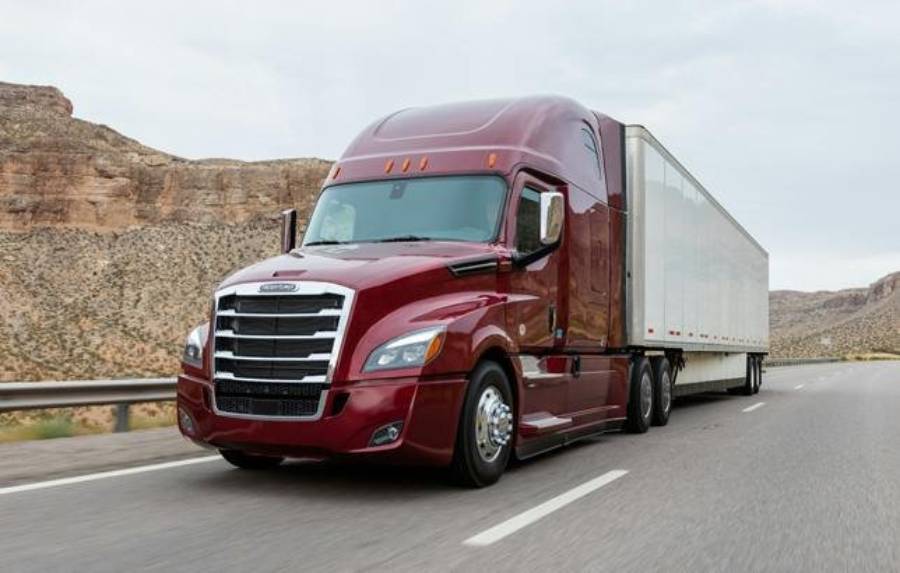
Resetting a Freightliner Cascadia depends on the system you need to reset because the truck does not use one universal reset procedure for every function. Dashboard values, maintenance intervals, fault codes, and check engine warnings each require a different process. The correct procedure can also vary by model year, instrument cluster, engine configuration, and installed electronic systems.
Before performing a reset, identify exactly what needs to be cleared or restored. A maintenance reminder, for example, should normally be reset after the required service is completed. A fault code or check engine light requires a different approach because clearing the warning does not repair the condition that triggered it. If an active fault remains, the warning may return immediately or after the truck completes another diagnostic check.
This guide explains how to reset the main systems and indicators on a Freightliner Cascadia, including the dashboard, maintenance light, fault codes, and check engine light. It also explains why a reset may fail, what to check after completing the procedure, and when the truck needs diagnosis instead of another reset. Always use the procedure that matches your Cascadia model and system rather than repeatedly clearing a warning without identifying its cause.
How Do You Reset a Freightliner Cascadia?
To reset a Freightliner Cascadia, first identify the system that needs to be reset, select the correct procedure for that system and truck configuration, complete the reset, and verify that the affected indicator or value has changed. There is no single reset procedure that clears every dashboard value, maintenance reminder, warning light, or diagnostic fault on a Cascadia.
Start by determining what you are trying to reset. Driver-resettable dashboard information may be controlled through the instrument cluster or steering-wheel controls, while a maintenance interval is reset through the maintenance system on equipped New Cascadia models. Fault codes and check engine warnings require a different process because they are connected to diagnostic information generated by the truck’s electronic control systems.
The correct reset method also depends on the Cascadia’s configuration. Freightliner documentation describes different instrument cluster controls and menu functions across Cascadia generations. For example, some Cascadia instrument clusters allow certain displayed values to be reset through steering-wheel or mode/reset controls, while New Cascadia maintenance functions use an on-screen reset option. For this reason, a reset sequence that works on one Cascadia should not automatically be treated as a universal procedure for every model year.
Before resetting a warning or diagnostic-related condition, check whether an active fault is present. Clearing an indicator does not repair the mechanical, electrical, or electronic condition that caused the warning. If the underlying condition remains, the truck can detect the fault again and restore the warning.
A practical Freightliner Cascadia reset process therefore has four steps: identify the exact system, confirm the procedure that applies to the truck, perform the system-specific reset, and verify the result. If the warning immediately returns or the reset option is unavailable, diagnose the underlying condition rather than repeatedly attempting the same reset.
How Do You Reset the Dashboard on a Freightliner Cascadia?
To reset dashboard information on a Freightliner Cascadia, use the instrument-cluster or steering-wheel controls provided for the specific ICU installed in the truck. The dashboard reset function applies only to values designed to be driver-resettable; it should not be treated as a method for erasing every warning or diagnostic fault stored by the vehicle.
On Cascadia models equipped with ICU4M or ICU4Me instrument clusters, Freightliner documentation describes steering-wheel controls for navigating driver information and resetting applicable values. For resettable screens, holding the appropriate + switch can reset the displayed value. Other Cascadia configurations use a mode/reset switch to access or control instrument-cluster information. The exact control layout should therefore be confirmed for the truck’s instrument cluster before attempting a reset.
Dashboard information also needs to be separated into different categories. Trip-related or driver-resettable values are intended to be changed by the driver, whereas warning messages and diagnostic information represent vehicle conditions detected by electronic systems. Resetting a trip or displayed value does not clear an active engine, transmission, emissions, ABS, or other electronic fault.
After resetting a dashboard value, confirm that the displayed information has returned to its expected starting state. If the target value does not change, verify that you are on a resettable screen and that the controls match the installed instrument cluster. If a warning remains on the dashboard, identify the warning itself instead of repeatedly attempting a general dashboard reset.
How Do You Reset the Maintenance Light on a Freightliner Cascadia?
To reset the maintenance light or service interval on an equipped New Freightliner Cascadia, open the maintenance system, select the applicable service interval, press the Reset button, and confirm the reset by selecting Yes. Perform this reset after the required maintenance has been completed so the system can accurately track the next service interval.
The maintenance system tracks service requirements according to the truck’s configured maintenance intervals. When an interval reaches its service point, the driver or technician can access the relevant maintenance screen and reset the interval after completing the required work. The confirmation step prevents the interval from being reset accidentally. Once confirmed, the system begins tracking the next maintenance period from the new starting point.
The Reset button may not always be available immediately. On New Cascadia models covered by Freightliner documentation, the maintenance-system reset button does not appear until the vehicle has traveled at least 6.2 miles (10 km) and the engine has accumulated at least 15 minutes of operation. If the Reset option is missing, confirm that these operating conditions have been met before assuming that the maintenance system has malfunctioned.
Do not reset a maintenance interval simply to remove a service reminder. The maintenance reset records the beginning of the next service interval; it does not perform or replace the maintenance itself. Resetting the interval before completing the required service can make the displayed maintenance schedule inaccurate and make it harder to determine when the truck actually needs its next service.
After completing the reset, return to the maintenance screen and verify that the service interval has been updated. If the reminder remains, confirm that the correct maintenance item was selected and that the required operating conditions were satisfied. A reminder that cannot be reset after these checks may require further diagnosis rather than repeated reset attempts.
How Do You Reset Freightliner Cascadia Fault Codes?
Freightliner Cascadia fault codes should be cleared only after the underlying fault has been identified and corrected. Checking a diagnostic trouble code, repairing its cause, and clearing its diagnostic information are separate actions. Removing a displayed warning without correcting an active fault does not permanently reset the affected system.
Start by checking the truck’s diagnostic information for active faults. Freightliner Cascadia diagnostic screens can display fault information generated by electronic systems on the vehicle. Depending on the Cascadia generation and configuration, this information helps identify the affected system and provides diagnostic data that can be used to determine why the warning was triggered.
The next step is to determine whether the fault is still active. An active fault means the electronic control system continues to detect the condition responsible for the diagnostic code. In that situation, repeatedly clearing the code does not provide a lasting solution. Once the system detects the condition again, the fault can become active and the associated warning can return.
Not every fault-code operation is available through normal driver controls. Driver information screens are useful for viewing diagnostic information, but service-level functions may require compatible diagnostic equipment. This distinction prevents a dashboard reset procedure from being incorrectly used as a universal fault-code clearing method.
When Do You Need DiagnosticLink to Reset Freightliner Cascadia Fault Codes?
DiagnosticLink is needed when diagnosing or servicing a Freightliner Cascadia requires ECU-level fault information, service routines, system tests, parameter access, or other functions beyond the normal driver interface. Daimler Truck North America’s DiagnosticLink software communicates with electronic control units and provides diagnostic capabilities intended for vehicle troubleshooting and service.
DiagnosticLink can read ECU information and diagnostic fault codes and can perform supported service routines and system tests. More advanced DiagnosticLink functionality also supports operations such as ECU parameter changes and, with the appropriate version and access, reprogramming. These capabilities make the software fundamentally different from resetting a driver-selectable value through the instrument cluster.
A diagnostic tool becomes particularly relevant when a fault remains active, returns after being cleared, or cannot be properly evaluated from the dashboard. In these cases, the objective is not simply to make the fault code disappear. The technician needs to identify the affected control unit, determine the condition that generated the fault, correct that condition, and then verify whether the fault becomes inactive.
Avoid treating battery disconnection, ignition cycling, or repeated dashboard resets as substitutes for diagnosis when an active fault persists. A successful fault-code reset should follow fault correction, not replace it. If the Cascadia continues to report the same code after the underlying system has been inspected, further diagnostic testing may be required.
How Do You Reset the Check Engine Light on a Freightliner Cascadia?
To reset the check engine light on a Freightliner Cascadia, identify the fault that triggered the warning, correct the underlying problem, verify that the fault is no longer active, and clear the fault with the appropriate diagnostic procedure when required. The check engine light is part of the truck’s diagnostic system, so it should not be treated like a maintenance reminder or driver-resettable dashboard value.
Start by checking the diagnostic information available on the truck. The Cascadia can display diagnostic fault information that helps identify which electronic system has detected a problem. The warning may originate from the engine or from another monitored system that communicates with the vehicle’s electronic network. Recording the displayed fault information before attempting to clear anything preserves useful information for troubleshooting.
Next, determine whether the condition that triggered the warning is still present. For example, an electrical connection problem, sensor-related fault, emissions-system condition, or another monitored malfunction can keep a fault active. Clearing the warning before correcting its cause only changes the displayed or stored diagnostic state temporarily. The electronic control system can detect the same condition again and reactivate the warning.
Once the underlying problem has been corrected, verify the fault status and use the appropriate clearing procedure if one is required. Faults that require ECU-level diagnosis or service routines may need a compatible diagnostic tool such as DiagnosticLink rather than a dashboard procedure. A driver should not assume that disconnecting the battery or repeatedly cycling the ignition provides the same result as diagnosing and properly clearing a fault.
The final step is verification. Start and operate the truck according to the conditions required for the affected system to run its checks, then monitor the dashboard for the warning. A check engine light that stays off after the fault has been repaired and the system has completed its checks indicates a different situation from a light that returns immediately after being cleared.
Why Does the Freightliner Cascadia Check Engine Light Come Back After a Reset?
A Freightliner Cascadia check engine light comes back after a reset when the truck detects that the condition responsible for the warning still exists or occurs again. Clearing diagnostic information does not prevent an electronic control unit from monitoring the affected component and generating another fault when its diagnostic criteria are met.
An active fault is one of the main reasons the light returns quickly. The control system continuously or periodically evaluates inputs from monitored components and circuits. If a sensor signal, electrical circuit, emissions parameter, or other monitored value remains outside its expected range, the system can recognize the problem again after the previous fault information has been cleared.
A warning can also return after the truck has been driven for a period rather than immediately after startup. Some diagnostic checks require specific operating conditions before they run. Engine temperature, vehicle speed, load, operating time, and other conditions can determine when a monitor evaluates a system. As a result, a cleared warning may stay off initially and return when the truck later reaches the conditions that expose the unresolved problem.
Repeatedly resetting the check engine light can also remove attention from information needed to diagnose the actual problem. Record the fault code and relevant symptoms before clearing diagnostic information. Details such as when the warning appears, whether engine performance changes, and whether another warning is present can help narrow the diagnostic process.
Treat a returning check engine light as a troubleshooting issue rather than a reset issue. If the same warning or fault repeatedly returns, identify and repair its cause before attempting another clear operation. A persistent fault, severe warning, engine derate, or noticeable performance problem may require professional diagnosis with the appropriate Freightliner or Detroit diagnostic equipment.
Why Is My Freightliner Cascadia Not Resetting?
A Freightliner Cascadia may not reset because the wrong procedure is being used, an active fault remains, the required reset conditions have not been met, the truck uses a different system configuration, or diagnostic equipment is required. Identifying which of these conditions applies is more effective than repeatedly performing the same reset procedure.
The first cause is using a reset procedure intended for a different function or Cascadia configuration. A dashboard value, maintenance interval, and diagnostic fault are separate types of information and do not share one universal reset method. Instrument cluster controls can also differ between Cascadia generations and equipment configurations. Confirm what you are trying to reset and which interface controls that function before repeating the procedure.
The second cause is an active fault. Electronic control units continue monitoring their associated components after diagnostic information is cleared. If the condition that generated a fault remains present, the control unit can detect it again and reactivate the fault. In this situation, the apparent reset failure is actually the diagnostic system responding to an unresolved problem.
The third cause is an unmet reset condition. Some reset functions become available only after specific operating requirements have been satisfied. For example, the maintenance-system Reset button on applicable New Cascadia models becomes available only after the vehicle has traveled at least 6.2 miles (10 km) and accumulated at least 15 minutes of engine operation. Trying to perform the procedure before these conditions are met can make it appear that the reset function is unavailable.
The fourth cause is a difference in model year, instrument cluster, powertrain, or installed equipment. Freightliner Cascadia trucks have been produced with different electronic interfaces and control configurations. A procedure found for one Cascadia should therefore be verified against the configuration of the truck being serviced instead of being assumed to work across every model.
The fifth cause is that the requested operation requires diagnostic equipment. ECU faults, service routines, system tests, and certain electronic functions can extend beyond what is accessible through driver controls. DiagnosticLink or other compatible service equipment may be necessary when the required operation involves electronic control units rather than a driver-resettable dashboard function.
If a reset repeatedly fails, stop repeating the same sequence and identify which of these five conditions applies. A reset that cannot be completed after the correct procedure and prerequisites have been verified should be treated as a diagnostic problem.
Read more: How to Move a Fifth Wheel on a Freightliner
What Should You Do After Resetting a Freightliner Cascadia?
After resetting a Freightliner Cascadia, verify that the intended value, reminder, or fault status changed and monitor the truck to confirm that it does not immediately return. A reset is complete only when the result matches the function that was supposed to be reset.
First, inspect the relevant dashboard screen. A resettable trip or driver-information value should display its expected starting value. A maintenance reset should show an updated service interval. For diagnostic-related procedures, check the fault status and associated warning rather than assuming the reset worked because the dashboard temporarily changed.
Second, operate the truck under the conditions needed for the affected system to perform its normal checks. Some electronic faults are detected immediately, while others require specific operating conditions before the relevant diagnostic monitor runs. A warning that remains off at startup but returns during driving indicates that additional diagnosis may be necessary.
Third, check whether the original symptoms remain. Dashboard indicators provide useful information, but the physical or operational symptoms that accompanied a fault are equally important. If reduced engine performance, abnormal operation, electrical problems, or another symptom remains after a reset, the underlying condition has not been resolved simply because a warning disappeared.
Finally, document recurring fault information. Record the diagnostic code, warning, operating condition, and any noticeable symptoms when a problem returns. This information gives a technician a clearer starting point and can reduce unnecessary troubleshooting.
Do not continue clearing the same warning if it repeatedly returns. A recurring warning means the next step should focus on finding the underlying cause rather than performing another reset.
When Should You Diagnose a Freightliner Cascadia Instead of Resetting It?
Diagnose a Freightliner Cascadia instead of resetting it when a fault remains active, a warning returns after being cleared, the truck enters derate, vehicle performance changes, a severe warning appears, or the correct reset procedure repeatedly fails. A reset changes a resettable value or diagnostic state; diagnosis identifies the mechanical, electrical, electronic, or emissions-related condition responsible for the problem.
A persistent fault code is a clear reason to move from resetting to diagnosis. An electronic control unit monitors specific circuits, components, and operating conditions. If the system continues detecting a problem after the code has been cleared, it can generate the fault again. Clearing the same code repeatedly does not change the input or condition that causes the control unit to recognize the fault.
A warning that returns immediately after a reset should also be investigated. The short interval between clearing and reactivation can indicate that the monitored condition is still present. A warning that returns later may require a particular engine temperature, vehicle speed, load, or operating period before the relevant diagnostic monitor runs again. In both situations, the returning warning provides diagnostic information rather than evidence that another reset is needed.
Prioritize diagnosis when the warning is accompanied by an engine derate or a noticeable change in vehicle operation. Reduced power, abnormal engine behavior, electrical malfunctions, or other performance symptoms indicate that the problem extends beyond a dashboard indication. The affected system should be identified and inspected before the truck is returned to normal operation.
Severe dashboard warnings require particular attention. Freightliner documentation distinguishes diagnostic faults by severity on supported Cascadia displays. A warning associated with a condition that affects safe vehicle operation should not be treated as something to clear simply to remove the indicator. Follow the warning instructions and obtain appropriate service when the condition requires it.
Diagnostic equipment is also appropriate when the necessary function is not available through the driver interface. DiagnosticLink provides access to ECU information, diagnostic fault codes, supported service routines, and system tests. These functions allow a technician to investigate the system responsible for a recurring fault instead of relying on repeated dashboard or ignition-based reset attempts.
The distinction between resetting and diagnosing is straightforward: reset the Freightliner Cascadia when the applicable system provides a legitimate reset function and the conditions for that reset have been satisfied; diagnose the truck when the warning or fault indicates that an underlying problem remains. This approach preserves useful diagnostic information, prevents repeated ineffective resets, and directs attention to the component or system that actually requires service.
1 thought on “How to Reset Freightliner Cascadia: Complete Guide”