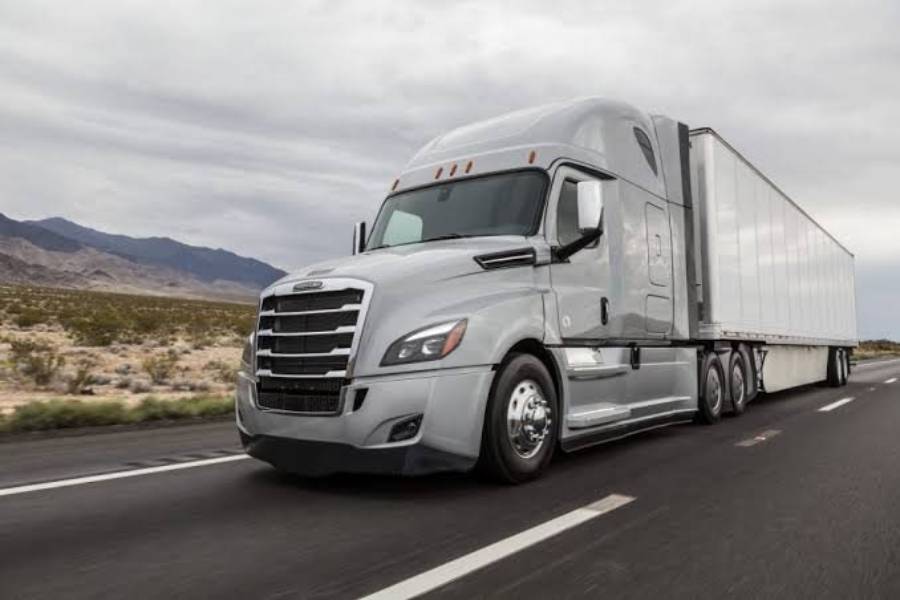
A Freightliner Cascadia dashboard may stop working because of a blown fuse, weak battery, faulty ground connection, damaged wiring, defective instrument cluster, or CAN bus communication failure. These problems can interrupt electrical power or prevent the dashboard from receiving vehicle data, resulting in a blank display, unresponsive gauges, missing warning lights, or intermittent instrument operation.
The symptoms of a Freightliner Cascadia dashboard failure depend on the affected component. A completely dead dashboard often indicates a power supply or ground circuit problem, while a working display with inaccurate or frozen gauges may point to an instrument cluster or communication fault. Loose connectors and damaged wiring can also cause the dashboard to flicker, restart unexpectedly, or lose functionality while driving.
Diagnosing a Freightliner Cascadia dashboard that is not working starts with checking the battery voltage, dashboard fuses, ground connections, and wiring harnesses. If these components are functioning correctly, further testing of the instrument cluster and vehicle communication network may be necessary. The correct diagnostic procedure depends on the truck’s model year and electrical configuration.
This guide explains the common causes, symptoms, troubleshooting procedures, and repair options for Freightliner Cascadia dashboard problems. It also covers repair costs, preventive maintenance, and safety considerations when critical dashboard instruments stop functioning.
Why Is My Freightliner Cascadia Dashboard Not Working?
A Freightliner Cascadia dashboard may stop working due to six main causes: a blown fuse, weak battery, poor ground connection, damaged wiring, faulty instrument cluster, or CAN bus communication failure. These faults can interrupt electrical power to the dashboard or prevent the instrument cluster from receiving information from the truck’s electronic control modules.
Electrical power problems are among the first issues to investigate because the instrument cluster requires a stable voltage supply and reliable ground connection to operate. A blown fuse can disconnect the dashboard from its power source, while a weak battery or corroded terminal can cause voltage fluctuations. Damaged wiring and loose connectors may produce similar symptoms, particularly when vibrations cause an intermittent electrical connection.
Instrument cluster defects and communication failures require a different diagnostic approach. The dashboard receives information such as engine speed, vehicle speed, and operating conditions through the truck’s electronic systems. When the instrument cluster fails internally or loses communication with another control module, gauges and warning indicators may stop responding even though electrical power remains available.
Can a Blown Fuse or Bad Ground Cause Dashboard Failure?
A blown fuse or bad ground connection can cause a Freightliner Cascadia dashboard to lose power, display a blank screen, or operate intermittently. Both components are essential parts of the instrument cluster’s electrical circuit, but they interrupt dashboard operation in different ways.
A dashboard fuse protects its assigned electrical circuit against excessive current. When the current exceeds the fuse’s rated capacity, the fuse element opens and interrupts power to the connected components. If the affected circuit supplies the instrument cluster, the dashboard may stop illuminating or fail to respond when the ignition is switched on. Fuse assignments vary between Freightliner Cascadia model years and electrical configurations, so the correct fuse must be identified using the truck’s electrical documentation.
A bad ground connection prevents electrical current from returning through its intended circuit path. Corrosion, loose mounting points, damaged ground wires, and deteriorated terminals can increase electrical resistance and create voltage drops. As a result, the dashboard may flicker, restart unexpectedly, or lose power when the truck encounters road vibrations.
For example, a Freightliner Cascadia with a loose instrument cluster ground may display normal gauge readings while parked but experience intermittent dashboard failure while driving. A voltage-drop test across the ground circuit can help identify excessive resistance that a visual inspection might miss.
Can a Faulty Instrument Cluster or CAN Bus Cause Dashboard Failure?
A faulty instrument cluster or CAN bus communication problem can prevent a Freightliner Cascadia dashboard from displaying accurate vehicle information even when its power supply is functioning correctly. These faults affect how the dashboard processes and receives electronic signals rather than necessarily interrupting its electrical power.
The instrument cluster contains electronic circuits that process vehicle data and control dashboard displays, gauges, and warning indicators. Internal component damage, connector faults, or electronic failures can prevent the cluster from operating correctly. Depending on the failure, the dashboard may remain completely blank, display incorrect readings, or lose only certain functions.
The Controller Area Network (CAN bus) allows electronic control modules to exchange information throughout the truck. Freightliner Cascadia electrical systems use vehicle communication networks, including SAE J1939-based communication, to transmit operating data between compatible modules. When the instrument cluster cannot receive required messages, affected gauges or warning indicators may stop updating or display communication-related faults.
For example, a dashboard that illuminates normally but shows missing engine speed information may have a communication problem involving the engine control module, network wiring, or instrument cluster. A compatible heavy-duty diagnostic scanner can help identify missing module communication and relevant diagnostic trouble codes.
Instrument cluster replacement should only be considered after verifying power, ground, wiring integrity, and communication signals. Replacing the cluster without identifying the underlying fault may leave the original dashboard problem unresolved.
What Are the Symptoms of a Freightliner Cascadia Dashboard Failure?
The four main symptoms of a Freightliner Cascadia dashboard failure are a completely dead dashboard, a black display screen, unresponsive gauges, and intermittent instrument operation. Each symptom provides clues about whether the problem involves electrical power, the instrument cluster, wiring connections, or vehicle communication systems.
A completely dead dashboard occurs when the instrument cluster does not illuminate, display information, or respond after the ignition is switched on. This condition indicates a possible loss of electrical power, an open ground circuit, or an internal cluster failure. For example, a blown fuse supplying the instrument cluster can prevent the entire dashboard from operating, even when other electrical components continue functioning normally.
A black dashboard screen occurs when the digital display remains blank while other dashboard functions may still operate. This symptom differs from complete dashboard failure because the instrument cluster may continue receiving electrical power and processing vehicle information. A defective display, internal electronic fault, or interrupted display power circuit can cause this condition. If the gauges and warning lights still function, the problem may be isolated to the display rather than the entire instrument cluster.
Unresponsive dashboard gauges include a speedometer, tachometer, fuel gauge, or other instrument that remains at a fixed reading or displays incorrect information. When several gauges fail simultaneously, the cause may involve a shared electrical circuit, instrument cluster electronics, or CAN bus communication. An individual gauge failure may instead indicate a problem with the specific signal, related module, or cluster component responsible for that reading. For example, a tachometer that stops updating while other gauges remain functional may indicate missing engine speed data rather than a complete dashboard power failure.
Intermittent dashboard operation occurs when the instrument cluster flickers, restarts, loses gauge readings, or temporarily stops working. Loose electrical connectors, corroded terminals, damaged wiring, and unstable voltage can interrupt dashboard operation without causing a permanent failure. Road vibrations and temperature changes may expose these faults by affecting already weakened electrical connections.
The combination of dashboard symptoms helps narrow the diagnostic process. A completely dead cluster makes power and ground checks a priority, while an illuminated dashboard with missing gauge information warrants investigation of communication signals and instrument cluster electronics. Identifying the exact failure pattern before replacing components reduces unnecessary repairs and helps determine whether the truck requires professional electrical diagnosis.
How Do You Troubleshoot a Freightliner Cascadia Dashboard That Is Not Working?
Troubleshooting a Freightliner Cascadia dashboard that is not working involves five main steps: checking the dashboard fuses, testing battery voltage, inspecting ground connections, examining wiring and connectors, and diagnosing vehicle communication faults. Following this sequence helps distinguish electrical power failures from instrument cluster defects and communication problems before replacing components.
Start by parking the truck on a level surface, applying the parking brake, and switching off the ignition before inspecting electrical connections. Record whether the dashboard is completely dead, displays a black screen, or has only certain gauges that are not responding. These observations help identify which circuits and components require testing. Avoid operating the truck when essential instruments, including air pressure gauges or critical warning indicators, are unavailable.
How Do You Check the Dashboard Fuses and Power Supply?
Checking the dashboard fuses and power supply requires identifying the correct instrument cluster circuit, testing its fuse, measuring battery voltage, and verifying electrical power at the dashboard. A digital multimeter and the vehicle-specific wiring diagram are the primary tools for these checks.
First, locate the power distribution components identified in the Freightliner Cascadia owner’s manual or electrical documentation. Depending on the model year and configuration, the instrument cluster may receive power through circuits controlled by different electrical modules. Identify the fuse associated with the instrument cluster or dashboard power supply rather than assuming that every Cascadia uses the same fuse location.
Remove the appropriate fuse with the ignition switched off and inspect its internal element. A visibly broken element indicates a blown fuse, but an intact appearance does not guarantee electrical continuity. Use a multimeter to verify continuity or test voltage at the fuse terminals according to the circuit diagram. Replace a defective fuse only with one of the specified type and amperage. A replacement fuse that blows again indicates a fault requiring further diagnosis, such as a short circuit or damaged wiring.
Next, measure battery voltage directly at the battery terminals. A fully charged conventional 12-volt lead-acid battery typically measures approximately 12.6 volts at rest. A lower reading may indicate a discharged battery, although voltage alone does not establish battery health. Freightliner Cascadia trucks commonly use multiple batteries in their electrical systems, so the correct testing procedure depends on the vehicle configuration.
Inspect accessible battery terminals and ground connections for corrosion, loose fasteners, and damaged cables. A ground circuit can appear physically intact while developing excessive resistance under electrical load. A voltage-drop test performed under the appropriate operating conditions provides a more reliable assessment than visual inspection alone.
Finally, verify that the instrument cluster receives the required power and ground signals using the correct wiring diagram and connector specifications. Do not probe unidentified terminals or bridge fuse contacts, as these actions can damage electronic control modules.
How Do You Diagnose Dashboard Wiring and Communication Faults?
Diagnosing Freightliner Cascadia dashboard wiring and communication faults requires inspecting electrical connectors, testing circuit integrity, and checking electronic control module communication with a compatible diagnostic scanner. These tests become necessary when the dashboard continues malfunctioning despite a functioning battery, intact fuses, and verified power and ground circuits.
Begin by inspecting accessible instrument cluster connectors and wiring harnesses for loose terminals, damaged insulation, corrosion, moisture intrusion, or signs of overheating. Pay particular attention to wiring near mounting points and areas exposed to repeated vibration. For example, a partially disconnected cluster connector may cause the dashboard to restart when the truck encounters road vibrations.
Use the vehicle’s electrical schematic to identify the relevant power, ground, and communication circuits. Continuity and resistance measurements should be performed only when the circuit is de-energized and the required modules are disconnected according to the service procedure. Testing an energized circuit in resistance mode can damage the multimeter or vehicle electronics.
Next, connect a compatible heavy-duty diagnostic scanner to the truck’s diagnostic connector and check for active or stored diagnostic trouble codes. Freightliner Cascadia electronic systems use communication networks, including SAE J1939, to exchange information between control modules. Communication-related faults may involve network wiring, connectors, module power supplies, or an electronic control module itself.
A diagnostic scanner may reveal that the instrument cluster is not receiving expected information from another module. However, a communication fault code does not automatically identify a defective instrument cluster. For example, missing engine speed data may result from an interrupted communication path even when the dashboard electronics are functioning correctly.
Advanced diagnosis may require checking network resistance, signal voltage, and communication waveforms using manufacturer-approved procedures. These measurements depend on the truck’s network architecture and should be performed by a qualified technician when the required equipment or wiring information is unavailable.
A dashboard that still fails after its power, ground, wiring, and communication circuits have been verified may have an internal instrument cluster fault. Confirming these conditions before replacing the cluster helps prevent unnecessary parts costs and ensures that an underlying electrical problem is not overlooked.
How Do You Fix a Freightliner Cascadia Dashboard That Is Not Working?
Fixing a Freightliner Cascadia dashboard that is not working requires repairing the component responsible for the failure, such as a blown fuse, damaged wiring, loose electrical connection, or defective instrument cluster. The correct repair depends on diagnostic results because dashboard symptoms alone cannot reliably identify the failed component.
Electrical repairs should begin only after confirming the fault with appropriate testing equipment. A blown fuse requires replacement with the correct rating, while a damaged connector or wiring harness requires restoration of the affected circuit. If the dashboard receives the correct electrical power and communication signals but remains unresponsive, instrument cluster repair or replacement may be necessary.
How Do You Fix Dashboard Fuse and Wiring Problems?
Freightliner Cascadia dashboard fuse and wiring problems are fixed by replacing defective fuses, repairing damaged conductors, and restoring secure electrical connections. These repairs must follow the truck’s wiring diagram and electrical service procedures to prevent additional damage to electronic components.
To replace a blown dashboard fuse, switch off the ignition and identify the affected circuit using the vehicle-specific fuse diagram. Remove the defective fuse with an appropriate fuse puller and install a replacement with the same amperage rating and specified type. Restore electrical power and check whether the dashboard operates normally. If the replacement fuse blows immediately or repeatedly, stop replacing it and investigate the circuit for excessive current or a short circuit.
Damaged dashboard wiring requires identifying the affected conductor and locating the source of the electrical interruption. Broken wires, corroded terminals, and loose connectors can prevent the instrument cluster from receiving stable power or communication signals. Repair methods include replacing damaged terminals, restoring approved wire connections, or replacing affected harness sections. For example, a corroded instrument cluster connector may require terminal replacement rather than simply cleaning its external surface.
Electrical repairs must use wiring materials, terminals, and sealing methods appropriate for the circuit and operating environment. Avoid bypassing fuses, installing higher-rated fuses, or joining wires without suitable automotive repair procedures. These practices can increase the risk of overheating, short circuits, and electronic module damage.
After completing the repair, verify dashboard illumination, gauge operation, warning indicators, and relevant diagnostic trouble codes. A successful repair should restore normal instrument operation without recurring electrical faults.
When Should You Replace the Freightliner Cascadia Instrument Cluster?
A Freightliner Cascadia instrument cluster should be replaced when diagnostic testing confirms an internal cluster failure and verifies that its power supply, ground connections, wiring, and communication circuits are functioning correctly. Replacing the cluster before completing these checks can result in unnecessary repair expenses without resolving the original problem.
Instrument cluster replacement may be necessary when the display remains blank despite receiving the specified electrical inputs, internal electronic components fail, or multiple instrument functions remain unresponsive after external circuit faults have been eliminated. A compatible diagnostic tool and manufacturer-specific service information help distinguish an internal cluster defect from missing vehicle data.
Replacement compatibility depends on the Freightliner Cascadia model year, instrument cluster configuration, electronic architecture, and applicable software requirements. Some replacement clusters require configuration or programming to communicate correctly with the truck’s control modules. Vehicle identification and odometer information must also be handled according to manufacturer procedures and applicable regulations.
For example, installing an instrument cluster from a different Cascadia configuration without verifying compatibility may result in incorrect gauge operation, missing information, or communication faults. Matching the replacement component to the vehicle’s specifications reduces these risks.
Professional instrument cluster replacement is recommended when programming, configuration, or advanced electrical diagnosis is required. After installation, the technician should verify gauge readings, display functions, warning indicators, and module communication before returning the truck to service.
Can You Reset a Freightliner Cascadia Dashboard That Is Not Working?
A Freightliner Cascadia dashboard can sometimes be restored by cycling the ignition or performing a manufacturer-approved electronic reset, but resetting will not repair a blown fuse, damaged wiring, faulty ground connection, or defective instrument cluster. A reset is useful primarily when the dashboard malfunction results from a temporary electronic or communication issue rather than a physical component failure.
The first step is to park the truck safely, apply the parking brake, switch off the ignition, and allow the electronic systems to complete their normal shutdown process. Restart the ignition and check whether the instrument cluster initializes correctly. A temporary software or communication interruption may clear during this process, restoring dashboard illumination, gauge readings, and display functions. However, a dashboard that repeatedly fails after restarting requires further electrical diagnosis.
Some Freightliner Cascadia configurations support diagnostic procedures that allow qualified technicians to reset or reinitialize electronic modules using compatible service equipment. These procedures depend on the truck’s model year, instrument cluster design, and electronic control system. A diagnostic reset should follow the applicable Freightliner service instructions because an incorrect procedure may interrupt module communication or affect stored diagnostic information.
Disconnecting the truck’s batteries is not a universal Freightliner Cascadia dashboard reset procedure. Battery disconnection can affect electronic settings and may introduce additional problems when performed without following the manufacturer’s shutdown and reconnection instructions. It should not replace proper electrical testing.
If the dashboard remains blank, gauges continue malfunctioning, or communication fault codes return after an approved reset, the underlying problem must be identified and repaired. Checking power supply integrity, ground circuits, wiring connections, and instrument cluster communication provides a more reliable solution than repeatedly restarting the dashboard.
Do Freightliner Cascadia Dashboard Problems Differ by Model Year?
Freightliner Cascadia dashboard problems differ by model year because instrument cluster designs, electrical distribution systems, control modules, and communication networks have changed across vehicle generations. Although blown fuses, poor ground connections, damaged wiring, and instrument cluster failures can affect different Cascadia models, the locations of electrical components and the procedures used to diagnose them are not always identical.
Older Freightliner Cascadia models generally use instrument cluster configurations with conventional analog gauges and digital information displays. Dashboard malfunctions in these trucks may involve cluster power circuits, electrical connectors, or communication faults between electronic modules. Identifying the correct fuse, ground point, or wiring connection requires documentation specific to the truck’s production year and electrical configuration.
The New Freightliner Cascadia, introduced for the 2018 model year, features an updated electrical architecture and instrument panel design. Depending on the model year and equipment configuration, these trucks use different electronic displays, control modules, and vehicle communication arrangements. Consequently, troubleshooting a black dashboard screen or unresponsive gauges may require different connector diagrams, diagnostic procedures, and compatible replacement components than those used on earlier models.
For example, an instrument cluster replacement designed for an older Cascadia should not be assumed compatible with a New Cascadia simply because both trucks use the same model name. Differences in connector arrangements, electronic configuration, and software requirements can prevent proper operation.
The most reliable way to diagnose a Freightliner Cascadia dashboard failure is to identify the truck’s model year and VIN before consulting its electrical diagrams and service information. This ensures that fuse locations, circuit specifications, diagnostic procedures, and replacement parts match the vehicle being repaired.
How Much Does It Cost to Fix a Freightliner Cascadia Dashboard?
The cost of fixing a Freightliner Cascadia dashboard depends on the failed component, diagnostic labor, replacement parts, and whether instrument cluster programming is required. Replacing a blown fuse is generally less expensive than repairing a damaged wiring harness or replacing an electronic instrument cluster. An accurate repair estimate requires identifying the fault and confirming the truck’s model year and electrical configuration.
Dashboard fuse replacement is typically one of the least expensive repairs because the component itself is inexpensive and replacement requires limited labor when the correct circuit is accessible. However, a fuse that repeatedly blows may indicate a short circuit or another electrical problem. In that situation, diagnostic labor and wiring repairs can account for most of the total cost rather than the replacement fuse.
Wiring and connector repairs vary in cost according to the location and extent of the damage. Replacing an accessible corroded terminal generally requires less labor than tracing an intermittent fault through a dashboard wiring harness. For example, a loose connector behind the instrument panel may be repaired after a relatively straightforward inspection, while a damaged conductor inside a bundled harness may require additional disassembly, circuit testing, and specialized repair materials.
Instrument cluster replacement is generally more expensive than basic fuse or connector repairs because it involves an electronic assembly and may require vehicle-specific configuration. The final cost depends on whether a compatible new, remanufactured, or used cluster is appropriate, along with installation labor and any required programming. Replacement components must match the truck’s electrical architecture, and odometer-related procedures must comply with applicable regulations.
Professional diagnostic charges also influence the total repair expense. A technician may need to test power and ground circuits, inspect wiring, retrieve diagnostic trouble codes, and verify CAN bus communication before identifying the failed component. Labor rates differ between independent diesel repair shops, authorized Freightliner service centers, and mobile truck repair providers.
For an accurate estimate, provide the repair facility with the truck’s VIN, model year, dashboard symptoms, and any available diagnostic trouble codes. Request an itemized quote covering diagnosis, replacement parts, labor, programming, and final system testing. Current repair prices should be confirmed through vehicle-specific parts quotations and local service rates rather than relying on a universal dashboard repair estimate.
Read more: Freightliner Cascadia DPF Problems: Causes & Fixes
How Can You Prevent Freightliner Cascadia Dashboard Electrical Problems?
Preventing Freightliner Cascadia dashboard electrical problems involves four main maintenance practices: maintaining battery connections, inspecting ground circuits, protecting wiring harnesses, and preventing moisture damage to electrical connectors. These measures reduce the risk of power interruptions and connection failures that can cause dashboard displays, gauges, and warning indicators to malfunction.
Battery maintenance is essential because the instrument cluster depends on a stable electrical supply. Inspect battery terminals for corrosion, loose connections, and damaged cables during routine vehicle maintenance. Corrosion increases electrical resistance, while loose terminals can produce intermittent voltage drops when the truck experiences vibration. Battery condition and charging system performance should also be checked according to the vehicle’s maintenance schedule to identify voltage problems before they affect dashboard operation.
Ground connections require similar attention because they complete the electrical circuits supplying the dashboard and associated control modules. Inspect accessible ground cables and mounting points for corrosion, loose fasteners, and physical damage. A deteriorated ground connection can create unstable electrical conditions even when the batteries and fuses are functioning correctly. For example, a loose chassis ground may cause intermittent instrument operation when vibration changes the resistance at the connection point.
Wiring harness inspections help identify electrical damage before it develops into a complete circuit failure. Check accessible wiring for worn insulation, unsecured harness sections, damaged protective coverings, and contact with sharp edges or moving components. Repeated vibration and abrasion can expose conductors, increasing the risk of short circuits and interrupted electrical signals. Damaged wiring should be repaired using manufacturer-approved materials and procedures.
Moisture protection is another important preventive measure, particularly around electrical connectors and areas exposed to water intrusion. Moisture can promote terminal corrosion and increase resistance within electrical connections. Inspect connector seals and investigate signs of water intrusion rather than applying cleaning products or protective compounds indiscriminately.
Routine electrical maintenance reduces preventable dashboard failures but cannot eliminate internal instrument cluster defects or electronic module malfunctions. Addressing intermittent display problems, unusual gauge behavior, and recurring electrical fault codes promptly helps prevent minor connection issues from developing into more extensive repairs.
Is It Safe to Drive a Freightliner Cascadia With a Dashboard That Is Not Working?
Driving a Freightliner Cascadia with a completely nonfunctional dashboard is unsafe because the driver may lose access to critical information, including vehicle speed, air brake pressure, engine temperature, and warning indicators. These instruments help drivers monitor operating conditions and identify mechanical or electrical problems before they become serious safety hazards.
A malfunctioning speedometer prevents the driver from accurately monitoring vehicle speed, increasing the risk of exceeding speed limits or misjudging driving conditions. Missing engine temperature and oil pressure information can also prevent early detection of overheating or lubrication problems. For example, an engine cooling system failure may go unnoticed when the dashboard cannot display temperature readings or activate the appropriate warning indicators.
Air brake pressure monitoring is particularly important in heavy-duty trucks such as the Freightliner Cascadia. The air brake system relies on adequate compressed air pressure to operate correctly, and dashboard gauges provide information about pressure in the vehicle’s air reservoirs. If these gauges or their warning indicators stop functioning, the driver may be unable to recognize a developing air pressure problem. Federal Motor Carrier Safety Regulations establish requirements for air pressure gauges and low-pressure warning devices on applicable commercial vehicles.
The severity of a dashboard malfunction depends on which instruments have failed. A display issue affecting only nonessential information presents a different risk from a complete instrument cluster failure. However, even a partially functioning dashboard requires diagnosis because an electrical or communication fault may affect additional instruments without warning.
A Freightliner Cascadia should not be driven when essential gauges, air brake warnings, or other safety-critical dashboard functions are unavailable. If the dashboard fails while driving, the driver should maintain control, avoid abrupt maneuvers, and pull over at the nearest safe location. Once stopped, the truck should remain out of service until the affected safety functions have been evaluated and restored by a qualified technician.
Before returning the truck to operation, verify that the instrument cluster displays accurate information, required warning indicators function correctly, and relevant electrical or communication faults have been resolved. This final inspection helps ensure that the dashboard can provide the information necessary for safe vehicle operation.